Why My Next.js Blog Worked Locally but Failed on Vercel (MissingSchemaError Fix)
My Next.js blog worked perfectly on localhost but failed on Vercel with "No posts yet". The real issue wasn't MongoDB or the API—it was an unregistered Mongoose model causing `MissingSchemaError` during `.populate()`. Here's how I found and fixed it.

Muhammad Ali
Full Stack Developer
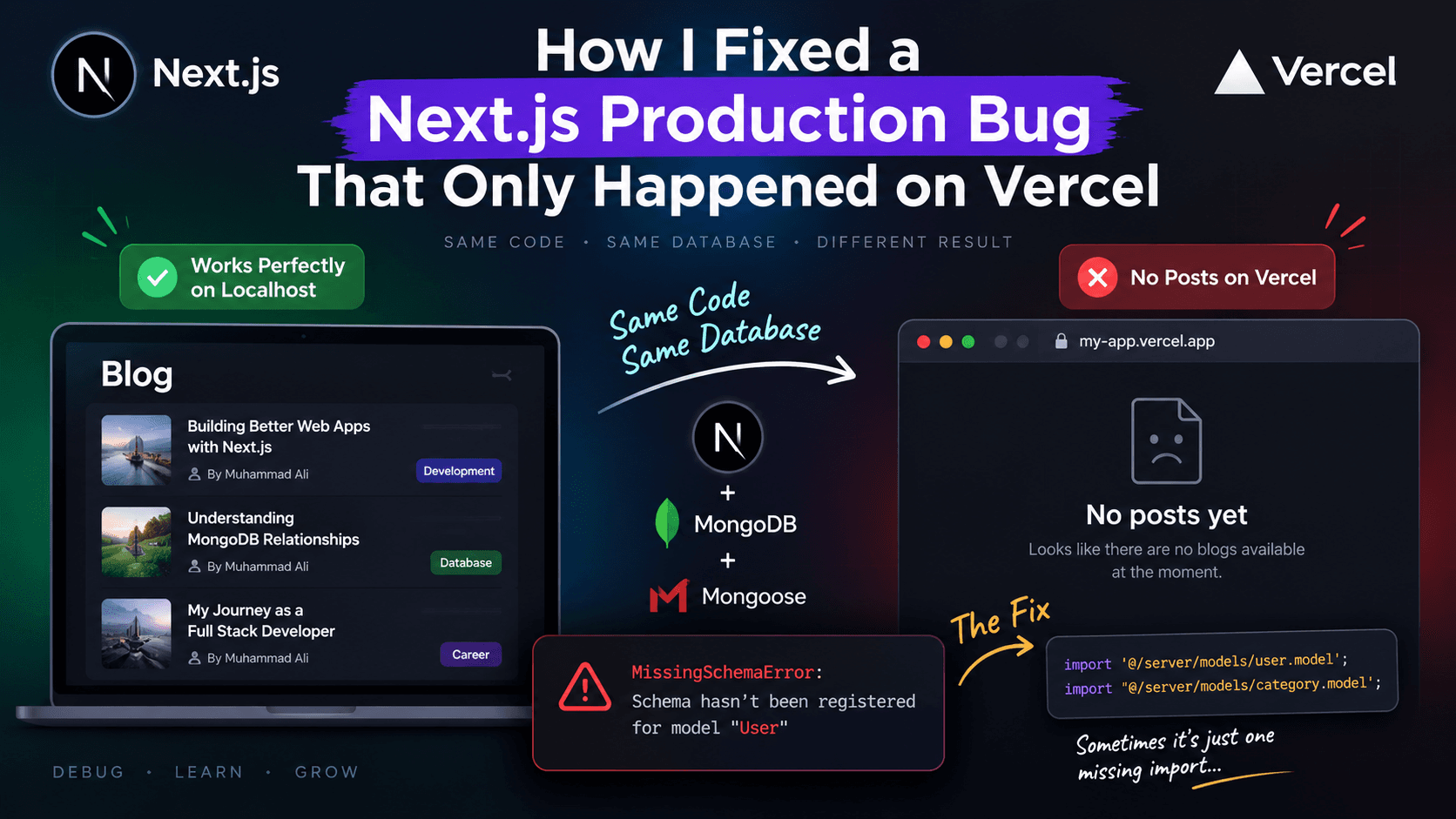
Why My Next.js Blog Worked Locally but Failed on Production
There are bugs that take minutes to solve, and then there are bugs that make you question everything.
A few days ago, I ran into one of those frustrating production issues where everything worked perfectly on my local machine, but completely failed after deployment.
The strange part?
- Localhost ✅
- Same database ✅
- Same codebase ✅
- Production (Vercel) ❌
The blog page simply displayed:
"No posts yet."
Even more confusing, the API responsible for fetching blogs wasn't returning any data.
At first, I suspected MongoDB, API routes, caching, or even deployment issues. But none of those were the real problem.
The Problem
My application was built using Next.js App Router, MongoDB, and Mongoose.
On localhost:
- Blogs loaded successfully.
- API returned data.
- Authors and categories were populated correctly.
After deploying to Production:
- Blog list was empty.
.populate('author')failed silently.- No blog data was returned.
Everything looked identical, yet production behaved completely differently.
The Investigation
I started checking everything one by one:
- Database connection
- Environment variables
- API routes
- Deployment logs
- MongoDB collections
- Query execution
After carefully reading the server logs, I finally found the actual error:
MissingSchemaError: Schema hasn't been registered for model "User"
That error immediately pointed me in the right direction.
Root Cause
The issue had nothing to do with MongoDB or Vercel.
The real problem was that the User and Category models were never imported inside the blog service.
My query looked something like this:
Blog.find()
  .populate("author")
  .populate("category");
But the serverless function only imported the Blog model.
import Blog from "@/server/models/blog.model";
It never imported:
import "@/server/models/user.model";
import "@/server/models/category.model";
Because of that, Mongoose didn't know what User or Category were when .populate() executed.
Why It Worked Locally
This is the interesting part.
During local development, another route (authentication) had already imported the User model.
Since the development server keeps modules in memory, Mongoose had already registered the model.
So when the blog API called:
.populate("author")
everything worked without any issue.
Production is different.
On Vercel, every API route runs inside its own isolated serverless function.
That means:
- No shared module cache
- No globally registered models
- Every function must import every model it depends on
If the model isn't imported inside that function, Mongoose throws:
MissingSchemaError
The Fix
The solution was surprisingly simple.
I added two side-effect imports inside my blog service.
import "@/server/models/user.model";
import "@/server/models/category.model";
These imports don't need to be used directly.
Their only purpose is to register the schemas with Mongoose before .populate() runs.
Once deployed again...
✅ Blogs loaded correctly.
✅ Author population worked.
✅ Category population worked.
✅ Production behaved exactly like localhost.
What I Learned
This bug taught me an important lesson about Next.js serverless architecture.
Just because something works on localhost doesn't mean production will behave the same way.
With Mongoose and Next.js App Router:
- Always import every model that will be used by
.populate(). - Don't rely on another route importing the model first.
- Treat every serverless function as an independent environment.
Final Thoughts
Sometimes the smallest missing import can cost hours of debugging.
In my case, the entire issue came down to two lines of code.
import "@/server/models/user.model";
import "@/server/models/category.model";
If you're getting a MissingSchemaError only after deploying to Vercel, check whether all referenced Mongoose models are explicitly imported in the same serverless function.
It might save you hours of debugging.
Get new posts in your inbox
Occasional notes on code, craft, and things I break along the way. No spam — unsubscribe anytime.
Written by
Muhammad Ali
Full Stack Developer