Understanding JavaScript Closures Through the createCounter Problem
Learn how to solve the JavaScript `createCounter` problem using closures. Understand why `num++` behaves the way it does and write the optimal solution.

Muhammad Ali
Full Stack Developer
JavaScript Closures Explained: Solving the Counter Problem
Closures are one of the most important JavaScript concepts, and they're frequently asked in interviews.
Recently, I came across the createCounter problem. At first glance, it looks simple, but it's actually designed to test your understanding of closures, lexical scope, and the post-increment operator (num++).
Let's solve it step by step.
Problem
Given a starting number, create a function that returns the current value and increments it every time it's called.
Example:
const counter = createCounter(10);

counter(); // 10
counter(); // 11
counter(); // 12
My First Attempt
Initially, I wrote something like this:
const createCounter = (num) => {
  return (num) => {
    return num++;
  };
};

const counter = createCounter(10);

counter();
counter();
counter();
Unfortunately, this doesn't work correctly.
What's Wrong?
The returned function declares another parameter named num.
(num) => {
This shadows the outer num.
So instead of using the value passed to createCounter(), the inner function creates its own variable.
Also, calling
counter();
doesn't pass any argument.
Therefore:
num === undefined
which makes
num++;
return
NaN
Understanding the Real Goal
The challenge wants us to remember the previous value every time the function is called.
This is exactly what closures are made for.
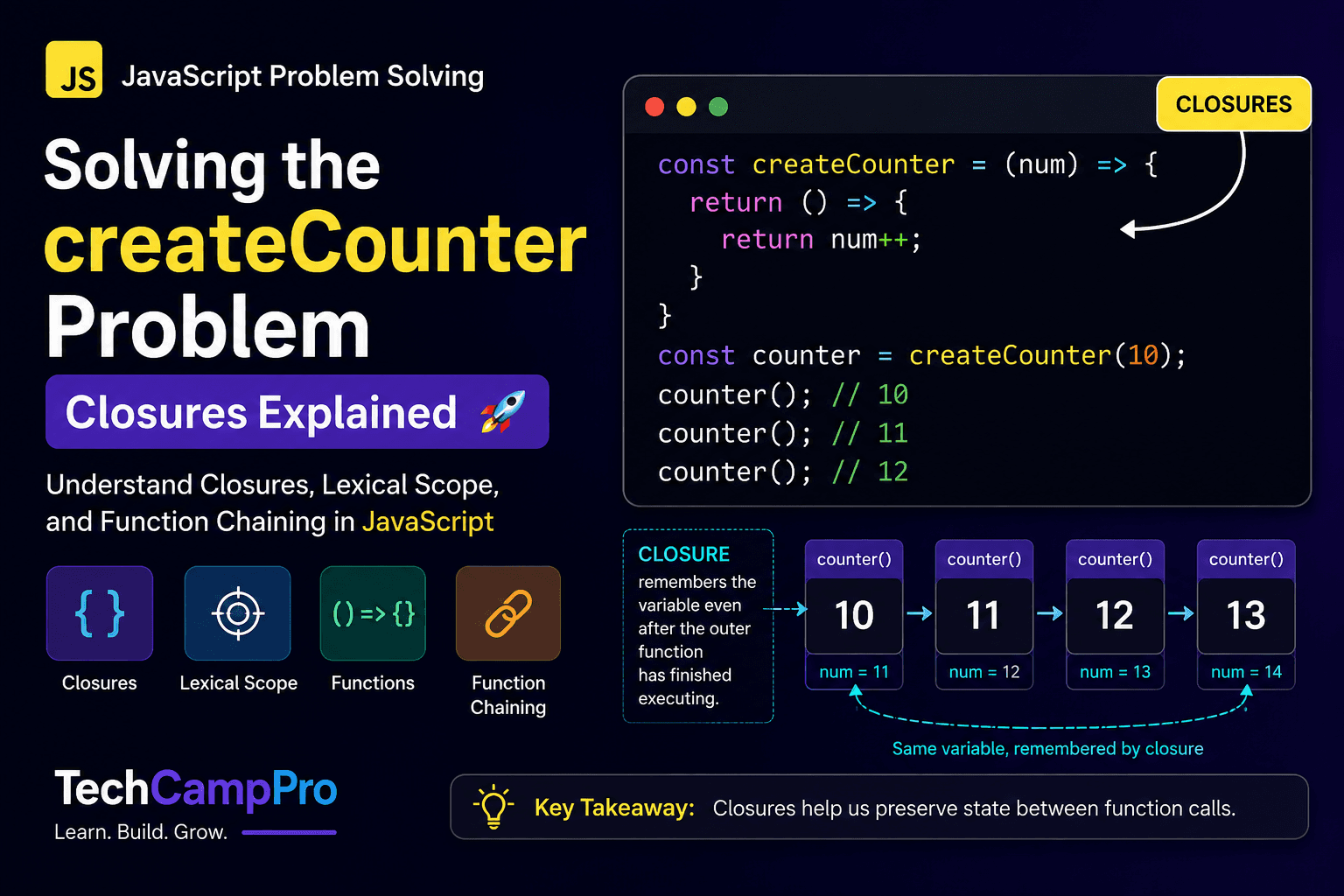
A closure allows an inner function to access variables from its outer function even after the outer function has finished executing.
Correct Solution
const createCounter = (num) => {
  return () => {
    return num++;
  };
};

const counter = createCounter(10);

console.log(counter()); // 10
console.log(counter()); // 11
console.log(counter()); // 12
How It Works
When this executes
const counter = createCounter(10);
JavaScript stores
num = 10
inside the closure.
Every time
counter()
is called,
it accesses the same variable.
Execution looks like this:
Initial:
num = 10

counter()
returns 10
num becomes 11

counter()
returns 11
num becomes 12

counter()
returns 12
num becomes 13
Why num++ Works
Many beginners confuse
num++
with
++num
The difference is:
Post Increment
return num++;
Returns the current value first.
Then increments it.
num = 10

return 10

num becomes 11
Pre Increment
return ++num;
Increments first.
Then returns the updated value.
num = 10

num becomes 11

return 11
Intuition
The key idea is to remember the previous value without using a global variable.
Closures let us preserve the state between function calls, making them perfect for implementing counters.
Approach
- Accept the initial value.
- Return an inner function.
- The inner function accesses the outer variable using a closure.
- Return the current value using
num++. - The value is automatically updated for the next call.
Complexity
Time Complexity
O(1)
Each function call performs only one increment.
Space Complexity
O(1)
Only one variable is stored inside the closure.
Key Takeaways
- Closures preserve variables after a function finishes.
- Inner variables can shadow outer variables.
num++returns the current value before incrementing.++numincrements first, then returns.- Closures are one of the most frequently asked JavaScript interview topics.
Final Code
const createCounter = (num) => {
  return () => {
    return num++;
  };
};

const counter = createCounter(10);

console.log(counter()); // 10
console.log(counter()); // 11
console.log(counter()); // 12
Conclusion
This problem may seem simple, but it teaches three essential JavaScript concepts:
- Closures
- Variable Scope
- Increment Operators
If you understand this pattern, you'll be much more comfortable solving function-based interview questions on platforms like LeetCode and in real-world JavaScript development.
Frequently Asked Questions
Closures are commonly used for:
- Counters
- Private variables
- Memoization
- Event handlers
- Function factories
- Debounce and Throttle implementations
- Module patterns
- React hooks and callbacks
Get new posts in your inbox
Occasional notes on code, craft, and things I break along the way. No spam — unsubscribe anytime.
Written by
Muhammad Ali
Full Stack Developer