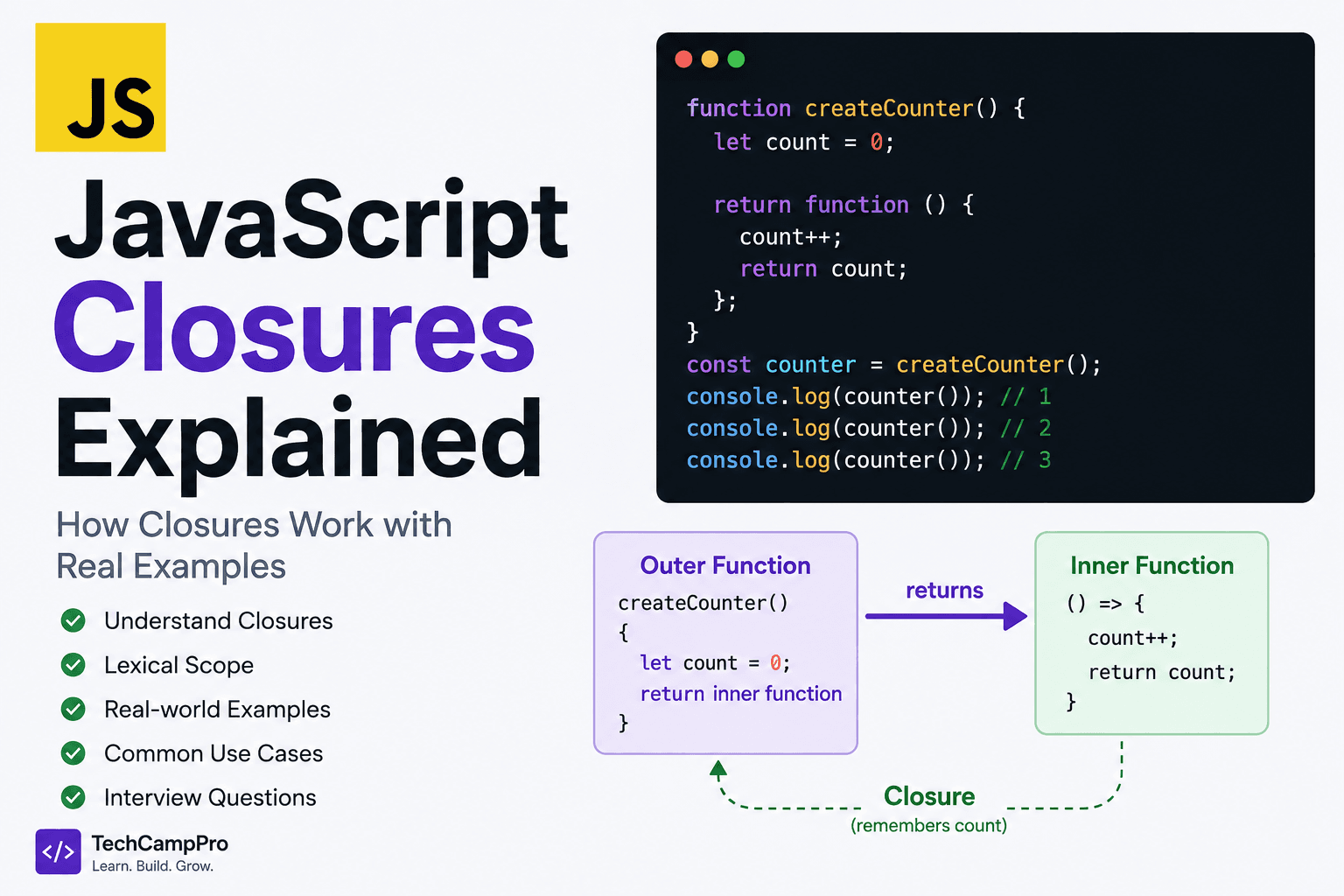
Closure in JavaScript – Explained with Examples
Have you ever wondered how a function can remember a variable even after the outer function has finished executing?
Consider this:
function createCounter() {
  let count = 0;

  return function () {
    count++;
    return count;
  };
}

const counter = createCounter();

console.log(counter());
console.log(counter());
console.log(counter());
Output:
But createCounter() has already finished executing.
So how does the returned function still remember count?
The answer is Closure.
In this article, we'll understand closures from scratch and see how they work in real JavaScript applications.
What Is a Closure?
A closure is created when a function remembers and can access variables from its outer lexical scope, even after the outer function has finished executing.
In simple words:
A closure allows a function to remember the variables that were available in its surrounding scope when the function was created.
Let's look at a simple example.
function outer() {
  const message = "Hello JavaScript";

  function inner() {
    console.log(message);
  }

  return inner;
}

const greet = outer();

greet();
Output:
Even though outer() has finished executing, inner() still has access to message.
That's a closure.
How Does a Closure Work?
To understand closures, you need to understand Lexical Scope.
Consider:
const language = "JavaScript";

function outer() {
  const framework = "React";

  function inner() {
    console.log(language);
    console.log(framework);
  }

  inner();
}

outer();
The inner() function can access:
- Its own variables
- Variables from
outer()
- Variables from the global scope
This happens because JavaScript uses lexical scoping.
When a function is created, it keeps a reference to the environment around it.
That is what makes closures possible.
A Simple Closure Example
Let's create a function that remembers a name.
function createGreeting(name) {
  return function () {
    console.log(`Hello, ${name}!`);
  };
}

const greetAli = createGreeting("Ali");

greetAli();
Output:
The returned function remembers the name variable.
Popular createCounter() Example
Closures are commonly demonstrated with counters.
function createCounter() {
  let count = 0;

  return function () {
    count++;
    return count;
  };
}

const counter = createCounter();

console.log(counter());
console.log(counter());
console.log(counter());
Output:
Why doesn't count disappear?
Because the returned function still references it.
The closure keeps access to the variable.
Understanding createCounter() Step by Step
When this runs:
const counter = createCounter();
The createCounter() function creates:
Then it returns another function:
function () {
  count++;
  return count;
}
The returned function remembers the count variable.
Then:
changes:
Another call:
changes:
And another:
changes:
This is closure in action.
Closures Create Private Data
One powerful use of closures is data privacy.
Consider:
function createBankAccount(initialBalance) {
  let balance = initialBalance;

  return {
    deposit(amount) {
      balance += amount;
    },

    getBalance() {
      return balance;
    }
  };
}

const account = createBankAccount(1000);

account.deposit(500);

console.log(account.getBalance());
Output:
But you cannot directly access:
console.log(account.balance);
The balance variable is not exposed as a public property.
The returned methods access it through their closure.
Closures with Multiple Instances
Each call to the outer function creates its own closure.
function createCounter() {
  let count = 0;

  return function () {
    return ++count;
  };
}

const counter1 = createCounter();
const counter2 = createCounter();

console.log(counter1());
console.log(counter1());

console.log(counter2());
Output:
Why does counter2() start at 1?
Because it has its own count variable.
There are two separate closure environments.
Closures with Parameters
Closures can remember function parameters too.
function multiplyBy(number) {
  return function (value) {
    return value * number;
  };
}

const double = multiplyBy(2);
const triple = multiplyBy(3);

console.log(double(5));
console.log(triple(5));
Output:
double remembers:
while triple remembers:
Closures with setTimeout()
Closures are especially important when working with asynchronous JavaScript.
function greetAfterDelay(name) {
  setTimeout(() => {
    console.log(`Hello, ${name}`);
  }, 1000);
}

greetAfterDelay("Ali");
The callback function remembers the name variable.
Even though greetAfterDelay() finishes before the timer callback executes, the callback still has access to name.
That's because of closure.
Closures in Loops
Closures are also commonly tested with loops.
Consider this:
for (var i = 0; i < 3; i++) {
  setTimeout(() => {
    console.log(i);
  }, 1000);
}
Output:
Why?
Because var is function-scoped, so all callbacks share the same i.
By the time the callbacks execute, the loop has finished and:
Fixing the Loop with let
Now change var to let.
for (let i = 0; i < 3; i++) {
  setTimeout(() => {
    console.log(i);
  }, 1000);
}
Output:
Why?
let creates a new block-scoped binding for each iteration, so each callback closes over its own i.
This is a very common JavaScript interview question.
Closures and Callbacks
Closures are everywhere in JavaScript callbacks.
For example:
function createLogger(prefix) {
  return function (message) {
    console.log(`${prefix}: ${message}`);
  };
}

const errorLogger = createLogger("ERROR");
const infoLogger = createLogger("INFO");

errorLogger("Something went wrong");
infoLogger("Application started");
Output:
ERROR: Something went wrong
INFO: Application started
Each logger remembers its own prefix.
Closures in Event Handlers
Closures are also commonly used with browser event handlers.
function setupButton(buttonName) {
  const message = `You clicked ${buttonName}`;

  return function () {
    console.log(message);
  };
}

const handleClick = setupButton("Login");

document
  .querySelector("#login")
  .addEventListener("click", handleClick);
The event handler remembers message.
Closure vs Scope
These two concepts are related but not exactly the same.
Scope
Scope determines where a variable can be accessed.
Closure
Closure describes how a function retains access to variables from its surrounding lexical scope.
For example:
function outer() {
  const value = 10;

  return function inner() {
    return value;
  };
}
value is accessible because of lexical scope.
The fact that inner() retains access to value after outer() finishes is the closure behavior.
Does a Closure Copy the Variable?
No.
A closure doesn't simply make a copy of the variable.
It maintains access to the variable's binding.
That's why this works:
function createCounter() {
  let count = 0;

  return () => ++count;
}

const counter = createCounter();

console.log(counter());
console.log(counter());
Output:
The same count binding is being updated.
Are Closures Bad for Performance?
Closures are a normal and important part of JavaScript.
They are not inherently bad for performance.
However, unnecessarily creating large numbers of closures or retaining references to large objects for a long time can increase memory usage.
For example, if a closure keeps a large object reachable when it is no longer needed, that object cannot be garbage-collected.
The solution is not to avoid closures, but to use them intentionally.
Real-World Uses of Closures
Closures are commonly used for:
- Data privacy
- Counters
- Function factories
- Callbacks
- Event handlers
- Timers
- Memoization
- Debouncing and throttling
- Maintaining state
- Module patterns
Closure Example - Function Factory
A function factory creates customized functions.
function createMultiplier(multiplier) {
  return function (number) {
    return number * multiplier;
  };
}

const double = createMultiplier(2);
const triple = createMultiplier(3);

console.log(double(10));
console.log(triple(10));
Output:
Each generated function remembers its own multiplier.
Closure Example: Simple Memoization
Closures can also be used to store cached values.
function memoize() {
  const cache = new Map();

  return function (number) {
    if (cache.has(number)) {
      return cache.get(number);
    }

    const result = number * number;

    cache.set(number, result);

    return result;
  };
}

const square = memoize();

console.log(square(5));
console.log(square(5));
The cache variable remains accessible because of the closure.
Common Closure Mistakes
1. Accidentally Sharing Variables
Be careful when multiple callbacks reference the same variable.
var functions = [];

for (var i = 0; i < 3; i++) {
  functions.push(() => i);
}

console.log(functions[0]());
console.log(functions[1]());
console.log(functions[2]());
Output:
Using let solves this in a loop because each iteration gets its own binding.
2. Creating Unnecessary Closures
Closures are useful, but don't create them unnecessarily when a simple function or data structure would solve the problem.
Focus on readability first.
3. Keeping Large Objects Alive
If a closure keeps referencing an object, that object may remain reachable.
function createHandler() {
const largeData = {
};
return function () {
console.log(largeData);
};
}
If the returned function stays alive, largeData can remain reachable too.
Interview Challenge
What will this code print?
function createCounter() {
  let count = 0;

  return function () {
    return ++count;
  };
}

const counter = createCounter();

console.log(counter());
console.log(counter());
console.log(counter());
Answer
The returned function closes over the count variable and retains access to the same binding between calls.
Another Interview Challenge
What will this output?
for (var i = 0; i < 3; i++) {
  setTimeout(() => {
    console.log(i);
  }, 1000);
}
Answer
Because all callbacks share the same var binding.
Using let:
for (let i = 0; i < 3; i++) {
  setTimeout(() => {
    console.log(i);
  }, 1000);
}
produces:
Conclusion
Closures are one of the most important concepts in JavaScript.
At first, the idea of a function "remembering" variables can seem strange. But once you connect closures with lexical scope, everything becomes much clearer.
The key idea to remember is:
A closure allows a function to retain access to variables from its surrounding lexical environment, even after the outer function has finished executing.
Once you understand closures, concepts such as callbacks, timers, event handlers, memoization, debouncing, and many advanced JavaScript patterns become much easier to understand.